.svg)
.svg)

AI Automation for Business Workflows
How to save time and improve efficiency with AI — including the workflow selection framework, four high-ROI automation domains, the efficiency tax problem, and why 40% of ambitious initiatives fail.
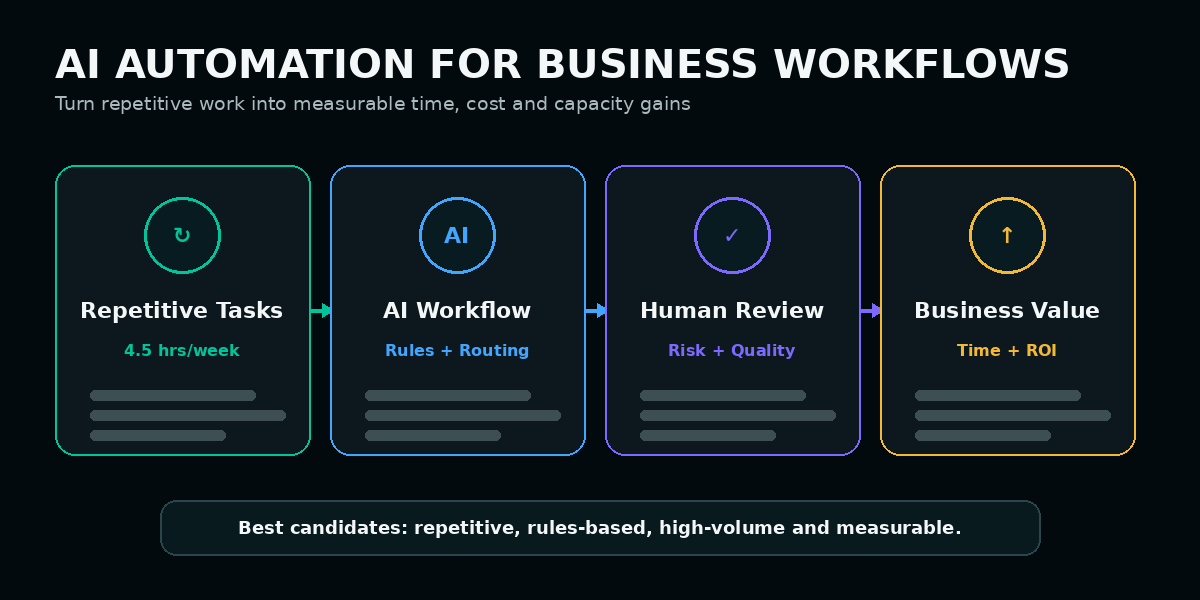
AI automation creates business value when it removes repetitive work from a clearly designed process. The strongest candidates are high-volume, rules-based, measurable workflows with structured inputs, defined outputs, and clear ownership.
AI can make a broken workflow faster, but it cannot make the workflow better. Process design, baseline measurement, and governance must come before automation.
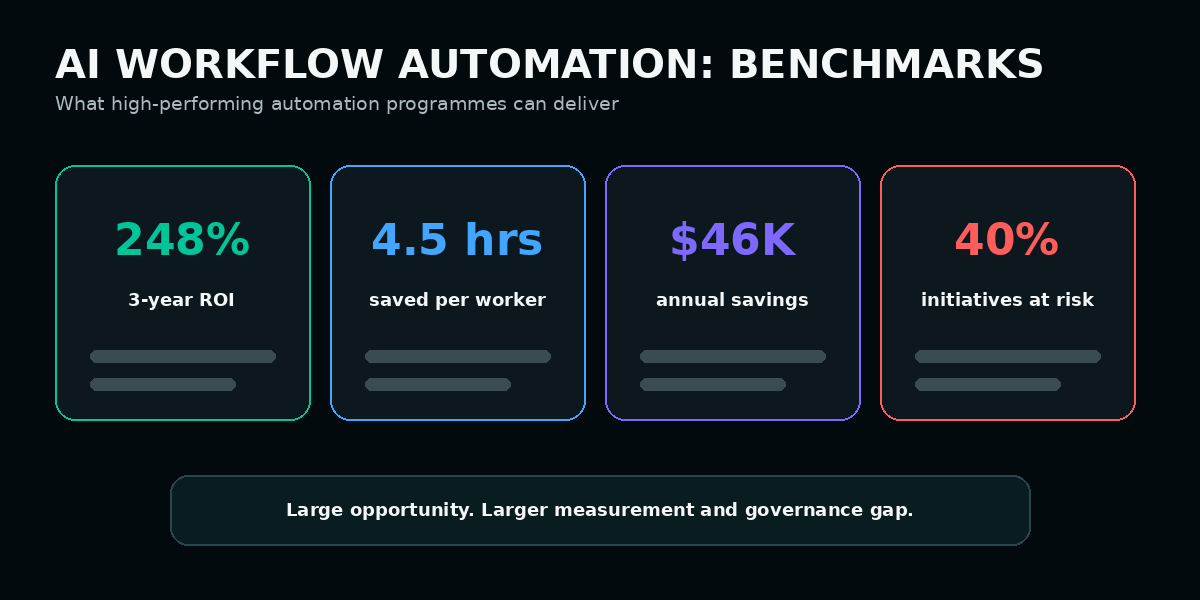
What Are the Benchmark Numbers for AI Workflow Automation?
The business case for workflow automation is established, but the value is highly dependent on workflow choice and measurement quality. Strong programmes establish the manual baseline before deployment and compare the same operational variables after automation.
What Is AI Workflow Automation and Where Does It Fit?
Direct answer: AI workflow automation is the use of artificial intelligence to handle repetitive, rules-based, high-volume business tasks. It removes manual steps from processes such as lead routing, invoice processing, support triage, reporting, CRM enrichment, and content distribution.
Within an AI optimisation framework, automation should follow the website, data, content, and marketing foundations it depends on. Reliable automation requires clean inputs, connected systems, stable ownership, and structured processes. Poor-quality data or ambiguous processes create unreliable automated outputs.
For the foundational explanation, read What Is AI Workflow Automation?.
Which Workflows Are Strong Automation Candidates?
| Strong Automation Candidate | Poor Automation Candidate | Why the Difference Matters |
|---|---|---|
| Lead scoring and routing using defined intent and firmographic rules | Strategic account selection requiring relationship and market judgement | Consistent scoring works well at volume; strategic selection requires contextual judgement. |
| Invoice processing, data entry, and accounts-payable routing | Complex financial negotiations, acquisitions, and board interpretation | Structured document processing is repeatable; high-stakes financial judgement is ambiguous. |
| Support-ticket classification and first-response drafting | Escalated complaints, legal issues, and sensitive customer situations | Classification follows rules; sensitive cases require empathy, authority, and accountability. |
| Weekly performance reports generated from structured data | Board presentations interpreting conflicting or incomplete evidence | Report generation is repeatable; strategic interpretation requires human synthesis. |
| Content scheduling, formatting, distribution, and reporting | Final editorial judgement, brand positioning, and sensitive-topic decisions | Operational content work is repeatable; brand judgement requires accountable human review. |
A practical list of operational opportunities is available in Business Tasks You Can Automate With AI.
Why Do Teams Feel Faster While Leaders Cannot Prove ROI?
The automation ROI paradox occurs when individual employees feel more productive, but the organisation lacks the baseline data needed to demonstrate cost reduction, capacity gain, error reduction, or faster handoffs.
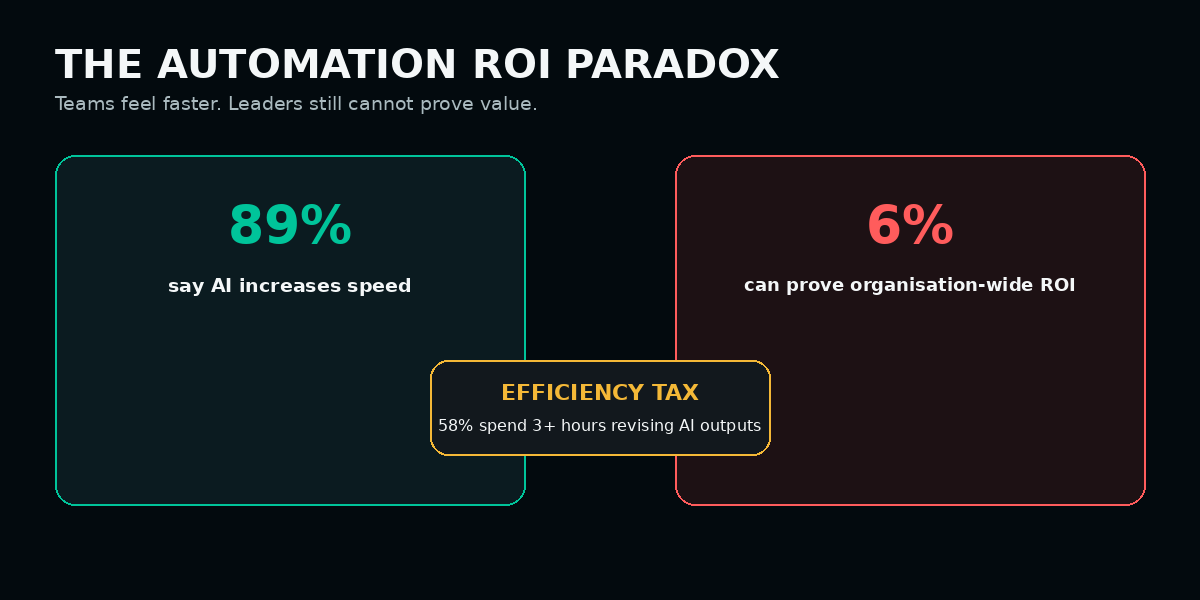
The gap begins before deployment. Many organisations do not document the manual process, time per unit, cost per transaction, error rate, revision rate, or handoff completion rate. When the automated process launches, there is no credible before-and-after comparison.
“Fragmented AI workflows create an efficiency tax because every tool switch, revision cycle, and missing handoff consumes the time AI supposedly saved upstream.”
Operational efficiency principle highlighted in the source researchA team may save four hours through automation but spend three hours checking, reformatting, moving, or correcting the output. The tools appear productive individually, while the complete workflow delivers only one net hour of value.
How Should a Business Select Its First AI Automation Workflow?
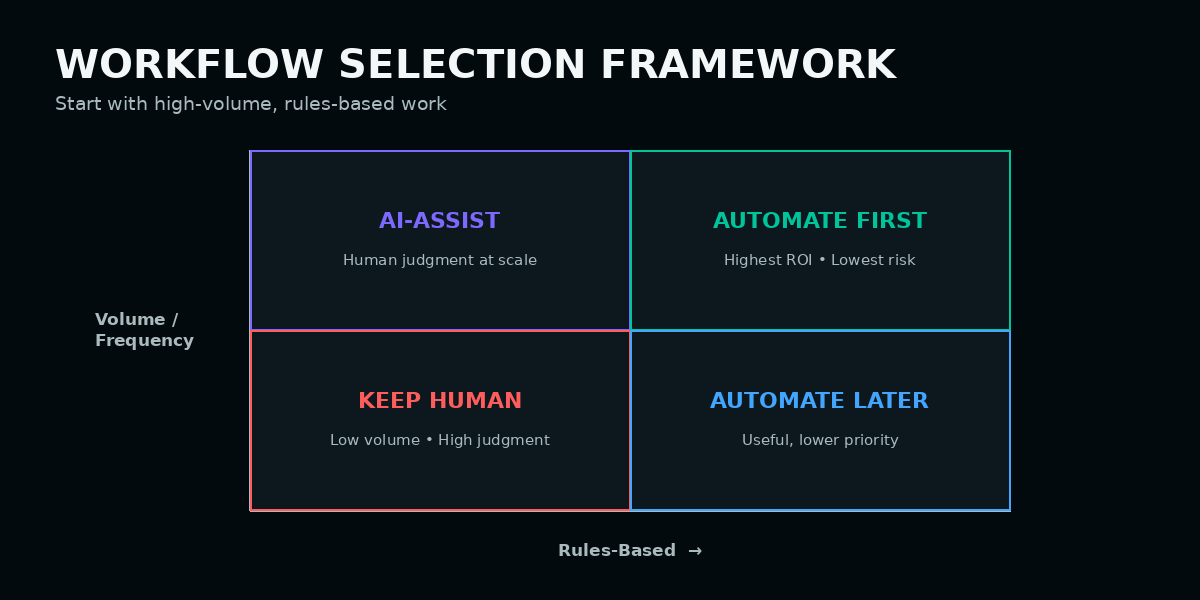
The best first workflow satisfies four conditions simultaneously: it is repetitive, rules-based, high-volume, and measurable. The more conditions a workflow satisfies, the lower the implementation risk and the easier the ROI is to prove.
| Selection Criterion | What to Assess | Disqualifying Condition |
|---|---|---|
| Repetitive | Can the complete workflow be documented with the same inputs, steps, decisions, and outputs? | If “it depends” regularly changes how the work is completed, more human judgement is required. |
| Rules-based | Can the decision logic be expressed through clear if-then rules? | If decisions rely on relationship context, tone, ambiguity, or interpretation, full automation is unsafe. |
| High-volume | Does the workflow run frequently enough to justify setup, integration, testing, and maintenance? | Annual or one-off processes rarely recover the automation cost quickly. |
| Measurable | Can time, cost, errors, quality, and handoff completion be objectively tracked? | If success is primarily subjective, leadership will struggle to prove ROI. |
Start with one workflow that is easy to map and easy to measure. Prove the result before attempting organisation-wide automation.
Which Business Areas Produce the Strongest Automation ROI?
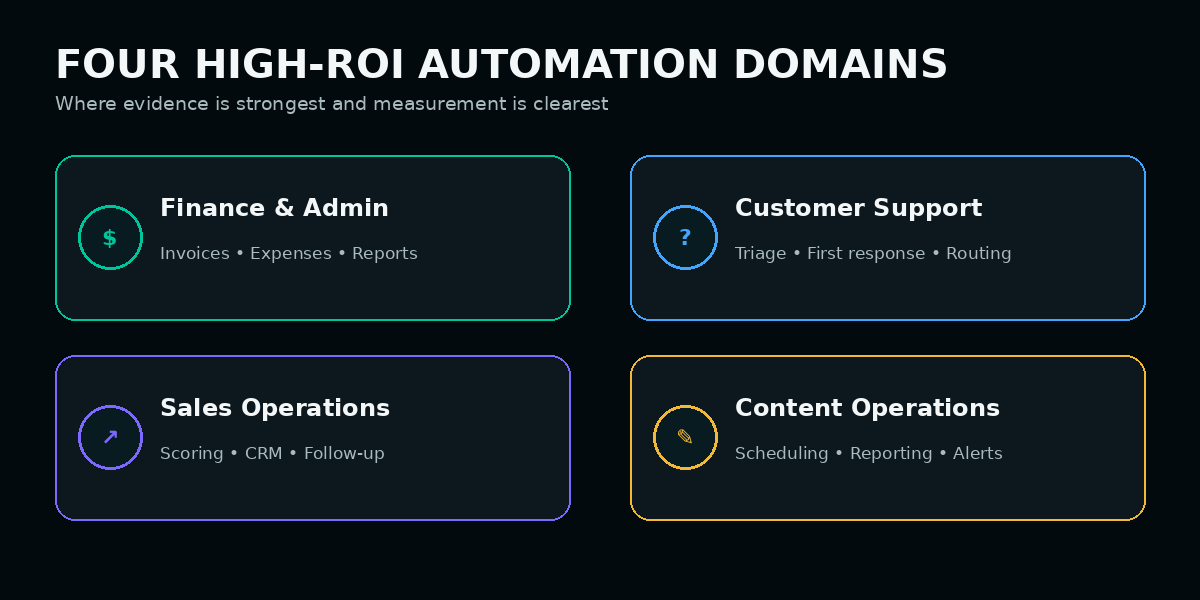
1. Finance and Administrative Operations
Finance automation has some of the clearest operational baselines because invoice volume, processing time, transaction cost, approval delays, and error rates can be tracked directly.
2. Customer Service and Support
Support automation can produce fast returns because ticket volume, response time, resolution time, escalation rate, and cost per ticket are measurable.
| Automated Step | AI Role | Human Role |
|---|---|---|
| Ticket classification | Identify topic, urgency, sentiment, product, and likely resolution path. | Review unusual, sensitive, or incorrectly classified cases. |
| First-response generation | Draft an answer using approved knowledge and account information. | Approve or edit high-risk, emotional, or contractual responses. |
| Order and account lookup | Retrieve structured status information and prepare the response. | Handle exceptions, disputes, and account changes. |
| Escalation routing | Apply defined risk and urgency rules. | Own the final resolution and customer relationship. |
3. Lead Management and Sales Operations
The strongest sales automations usually support the sales team rather than replacing relationship work. Lead scoring, routing, enrichment, meeting follow-ups, pipeline alerts, and reporting can remove substantial administrative effort.
- Score leads using form activity, behaviour, firmographic information, and intent signals.
- Route qualified opportunities by territory, segment, product, or account ownership.
- Enrich CRM records from approved company and contact sources.
- Draft meeting follow-ups using the call transcript and approved sales language.
- Alert account owners when an opportunity becomes inactive or changes stage.
- Generate weekly pipeline summaries from structured CRM data.
4. Content and Marketing Operations
AI creates immediate capacity in content operations when it handles distribution and reporting rather than final creative judgement.
Smaller organisations can begin with focused use cases using the framework in AI Automation for Small Businesses.
How Should Human Review Be Built Into AI Workflows?
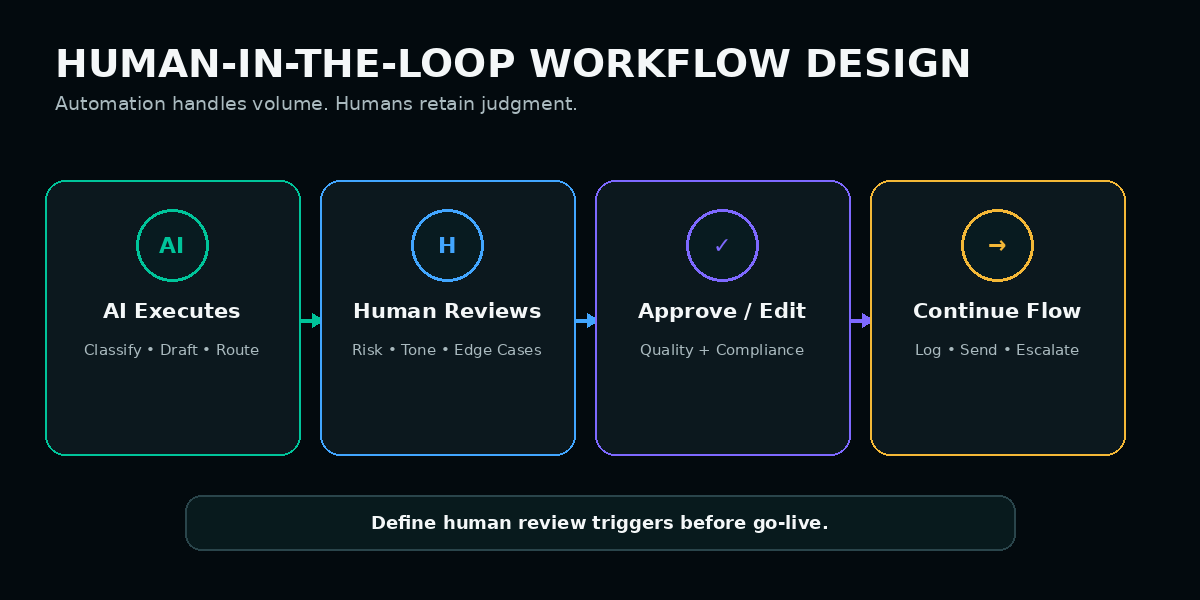
Human-in-the-loop design places a review, approval, edit, or escalation point between AI processing and high-risk actions. Microsoft documents human-in-the-loop workflow interactions as a pattern for pausing execution and obtaining human input before continuing. It allows automation to handle volume while keeping judgement, accountability, empathy, compliance, and brand control with people.
| Workflow Stage | AI Responsibility | Human Responsibility |
|---|---|---|
| Initial processing | Classify, extract, summarise, score, route, or generate a first draft. | Define the approved rules, data sources, and output boundaries. |
| Risk review | Flag uncertainty, policy conflicts, sensitive language, or missing data. | Review high-risk, ambiguous, legal, financial, or emotional cases. |
| Approval or editing | Present the recommended action and supporting information. | Approve, reject, edit, or request additional context. |
| Completion | Send, log, update, schedule, or continue the workflow after approval. | Remain accountable for the final outcome and exception handling. |
For a dedicated implementation guide, read How to Build Human-in-the-Loop AI Workflows.
Why Do So Many AI Automation Initiatives Fail?
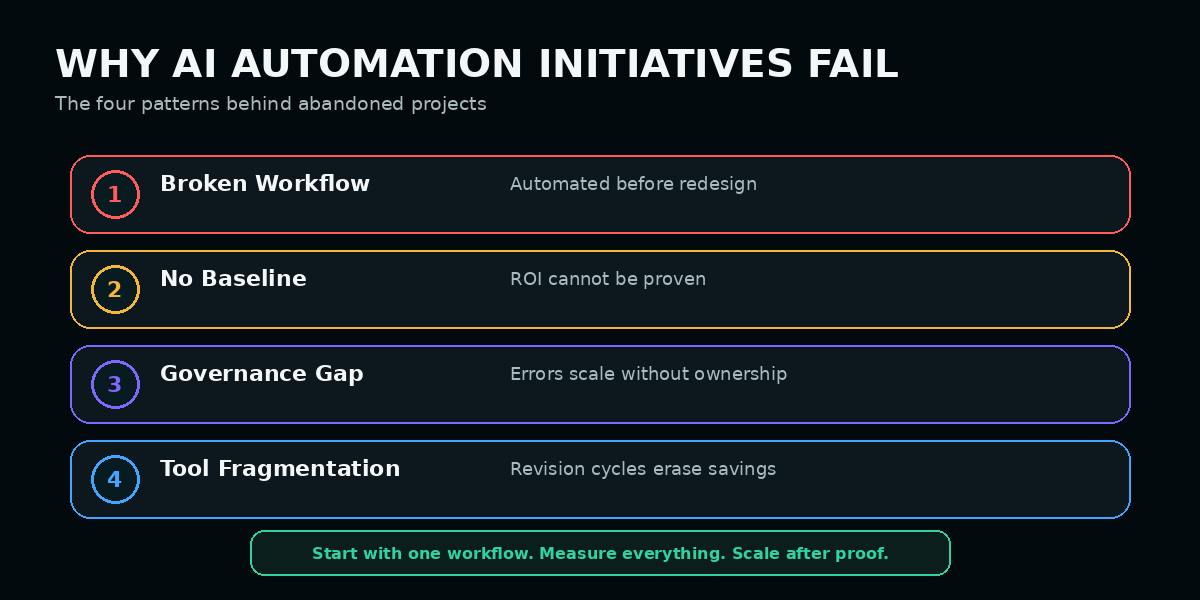
Automating a broken workflow
A poorly designed process becomes faster but not more reliable. Redesign the workflow, clarify ownership, and remove ambiguous handoffs before adding AI.
No baseline measurement
Without a documented manual baseline, the organisation cannot prove time saved, cost reduction, error improvement, or capacity gained.
Governance gaps
If ownership, review triggers, error monitoring, data access, escalation, and accountability are undefined, mistakes scale with the automation. The NIST AI Risk Management Framework provides a voluntary structure for incorporating trustworthiness and risk management into AI design, deployment, and use.
Fragmented tool stack
Multiple disconnected tools create copying, reformatting, checking, and handoff work that consumes the time saved earlier in the process.
See AI Automation Mistakes to Avoid for the complete diagnostic guide.
AI Workflow Automation Checklist
| # | Area | What to Do | Pass Condition |
|---|---|---|---|
| 1 | Workflow selection | Identify repetitive, rules-based, high-volume, measurable workflows. | Each candidate can be documented with defined inputs, outputs, and decision logic. |
| 2 | Baseline | Record time per unit, cost per transaction, error rate, revision time, and handoff completion. | The baseline exists before any tool is deployed. |
| 3 | Workflow design | Redesign the process and remove ambiguous decision points before automation. | Every step has a clear owner, output, and escalation rule. |
| 4 | Governance | Define output ownership, review triggers, error monitoring, data access, and escalation. | Governance is approved and active before go-live. |
| 5 | Finance | Track invoice cost, approval time, errors, exceptions, and hours saved. | Post-automation performance improves against the documented manual baseline. |
| 6 | Customer service | Automate classification and standard responses with escalation rules. | Human agents focus on complex and sensitive cases. The OECD AI Principles include safeguards for human agency, oversight, robustness, transparency, and accountability. |
| 7 | Sales operations | Automate scoring, enrichment, routing, reminders, and reporting. | Manual CRM administration and lead-routing time decline measurably. |
| 8 | Content operations | Automate approved repurposing, scheduling, reporting, and freshness alerts. | The team saves measurable time without losing editorial control. |
| 9 | Efficiency tax | Measure revision, tool-switching, reformatting, and handoff time. | Downstream correction work does not consume most of the upstream saving. |
What Is the Best Step-by-Step Automation Process?
Select one measurable workflow
Choose a high-frequency process with consistent rules, a clear owner, structured inputs, and an objective output.
Document the manual baseline
Measure current processing time, cost, errors, delays, revision effort, and completion rate before changing the process.
Redesign before automating
Remove unnecessary steps, clarify ownership, define decision logic, and map exceptions and escalation paths.
Define human-review triggers
Specify which confidence levels, data conditions, customer situations, or risk categories require approval. The NIST AI RMF Core calls for clear roles and responsibilities for human-AI configurations and oversight.
Launch a controlled pilot
Run the workflow with a limited volume, monitor every error and handoff, and compare performance against the baseline.
Measure net value
Subtract review, correction, tool switching, and maintenance time from the gross hours saved.
Scale only after proof
Expand the automation after it demonstrates reliable output, measurable ROI, clear ownership, and manageable exceptions.
How Should AI Automation ROI Be Measured?
| Metric | Before Automation | After Automation | Why It Matters |
|---|---|---|---|
| Time per unit | Average manual processing time | Automated time plus human review time | Shows the real capacity recovered. |
| Cost per transaction | Labour, tools, corrections, and delays | Automation, review, maintenance, and exception cost | Demonstrates the financial return. |
| Error rate | Manual mistakes and rework | Automation errors, review failures, and edge cases | Confirms quality improvement rather than speed alone. |
| Handoff completion | Missed, delayed, or incomplete transfers | Successful automated and human handoffs | Reveals workflow reliability. |
| Revision time | Manual editing and checking | AI output correction, reformatting, and verification | Identifies the hidden efficiency tax. |
| Capacity released | Hours spent on repetitive work | Hours redirected into higher-value work | Connects automation to strategic business value. |
Frequently Asked Questions
Which business workflows should I automate first?
What ROI should I expect from AI workflow automation?
Why do so many AI automation projects fail?
What is the efficiency tax in AI automation?
Should every AI workflow include human review?
Can a small business benefit from AI automation?
Key Takeaways
- The strongest workflows are repetitive, rules-based, high-volume, and measurable.
- Automation should follow workflow redesign, not replace it.
- Baseline measurement is required before ROI can be demonstrated.
- Finance, support, sales operations, and content operations offer strong starting points.
- Human-review triggers must be designed before go-live.
- Tool fragmentation and revision cycles create an efficiency tax.
- Start with one workflow, measure net value, then scale after proof.

About the Author
Marcus Hibbert is the founder of AI Recommended, a leading Generative Engine Optimisation (GEO) agency helping UK B2B technology companies become the trusted recommendation across ChatGPT, Google AI Mode, AI Overviews, Gemini, Claude, Perplexity and Microsoft Copilot whenever decision-makers search for products, services and solutions.
Connect with Marcus on LinkedIn.
Request an AI Optimisation Audit
Discover how AI platforms describe, cite and recommend your brand across the prompts your ideal buyers use—and uncover opportunities to become AI's trusted recommendation.
By submitting this form, you’re requesting an Artificial Intelligence Optimisation (AI Optimisation) audit for your brand.

.png)